Blip: This App Allows You To Quickly Send Files Across The Internet
For my first actual app review here on PureApp.reviews, I decided I would write about Blip, the file transfer app. No particular reason other than the fact that it's something that I use constantly, especially between my own Mac computers, laptop and even my Windows PC.
For my first actual app review here on PureApp.reviews, I decided I would write about Blip, the file transfer app. No particular reason other than the fact that it's something that I use constantly, especially between my own Mac computers, laptop and even my Windows PC.
 Blip
BlipBlip is an app I just recently discovered, thanks to one of the regulars in the ModMyDevice Discord server. They kind of mentioned in passing, but I quickly decided to check it out and see what it was all about.
At the time, I was using, and had been using, LocalSend, for my entire time using MacOS, which at the time was about 18 months or so. I even did a review of it on my other site, SeerOfSouls, which you can find here: LocalSend Review. This was only about 3 or so months ago that I discovered Blip, but I quickly appreciated it more than LocalSend.
So why the change and what's the difference? For one, Blip just looks more modern and much nicer compared to LocalSend. Second, in early usage, I just had better luck auto sending files between my Mac computers, my iPhone and even my Windows PC. I found I wasn't having to go to the receiving computer to accept the file. This was something I had to do with LocalSend even with the "auto accept" feature enabled.
What Is Blip?
Any way, enough about LocalSend, let's focus on Blip and what it is and what it does. With Blip, there’s no middleman uploading to and downloading the file from a cloud, and no pesky web app to sign into. This alone makes Blip worth so much to me personally.
Blip is the easiest and to me, the fastest way, to send large files or even large folders of files between your Mac computers, Windows PC's, iPhone or even your Android devices. Supposedly there is a Linux version coming in the near future for those of you who would want to use it there.
Getting Started With Blip
Once you download the Blip file transfer app, just enter your name and email address. That's literally all you have to do to begin using Blip. They make it so simple which is just another reason to use Blip.
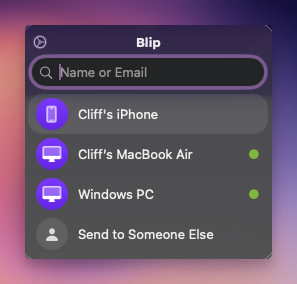
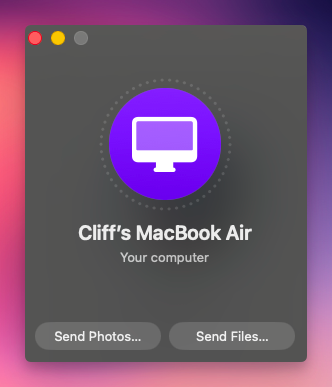
Then, to start sharing files, just enter the recipient’s name or email address. To transfer files, just drag whatever you want into Blip’s pop-up window or click the Send Photos or Send Files button. Files, entire folders, images, videos, documents, ZIP files, Logic projects, Final Cut Pro bundles — the possibilities are endless.
How File Transfers Work
When someone sends you files, you’ll get a pop-up notification asking if you want to accept them. Once you do, you can either save the files to your default downloads folder or pick a different location.
Blip transfers files directly between the two computers during the exchange. Your device temporarily acts as a server, allowing the recipient to download the files straight from you.
Privacy
Blip is designed with privacy in mind as well. According to the company, files are encrypted while being transferred, and they typically never pass through Blip’s servers. If a firewall prevents a direct connection, the data may be relayed through Blip temporarily, but it is never stored.
Pricing
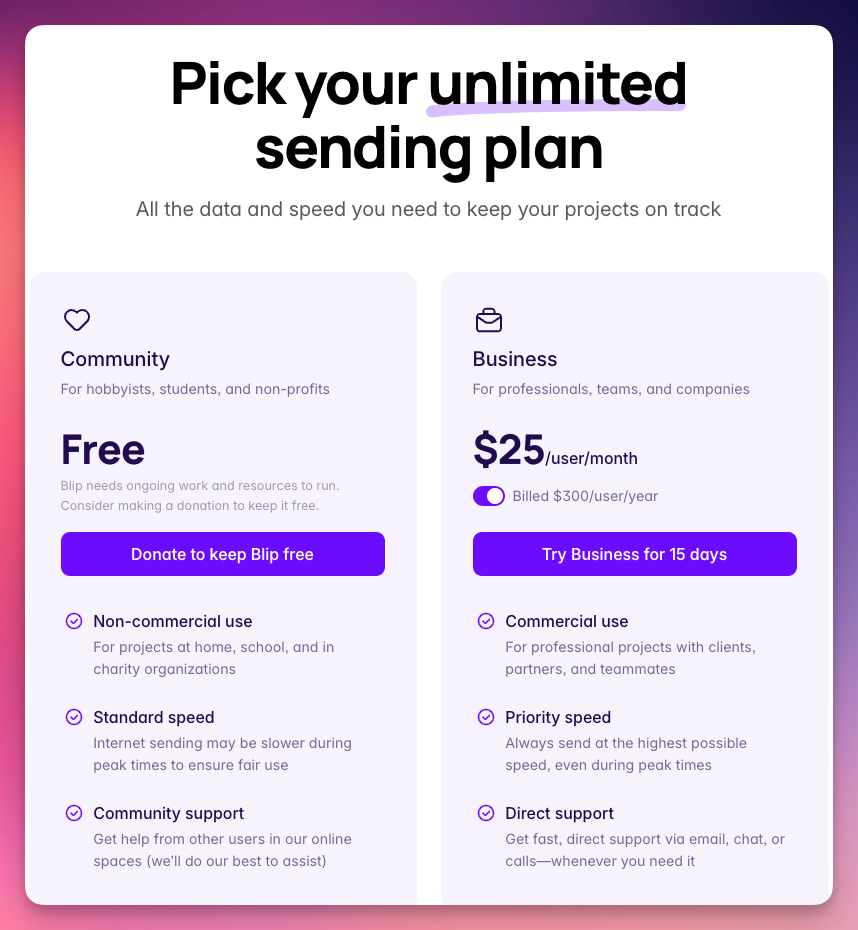
Blip is completely free for personal use. If you're needing or wanting it for business use, you pay $25 per user, per month. You can also donate to help keep Blip free for personal use if you'd like, which I strongly encourage you to do if you find the app useful and enjoyable.
Final Thoughts
Thanks for reading my first app review here on the PureApp.reviews site! If you have any questions or comments, please don't hesitate to use the comments section below. You can also find me on Mastodon here: Cliff on Mastodon.