SetApp: An App Store Alternative
SetApp is one of the best value subscriptions for Mac users who regularly use several premium utilities, productivity tools, writing apps, file tools, and maintenance apps.
Let me start off by saying, I totally understand that subscription based stuff isn't everyone's cup of tea. I get that and totally respect that. However, for me, I don't mind subscription based stuff in some situations, and SetApp is one of those very few situations that I will use it.
 Setapp
SetApp is one of the best value subscriptions for Mac users who regularly use several premium utilities, productivity tools, writing apps, file tools, and maintenance apps. It is less compelling if you only need one or two apps, dislike subscriptions, or rely on very specific pro software not in the catalog.
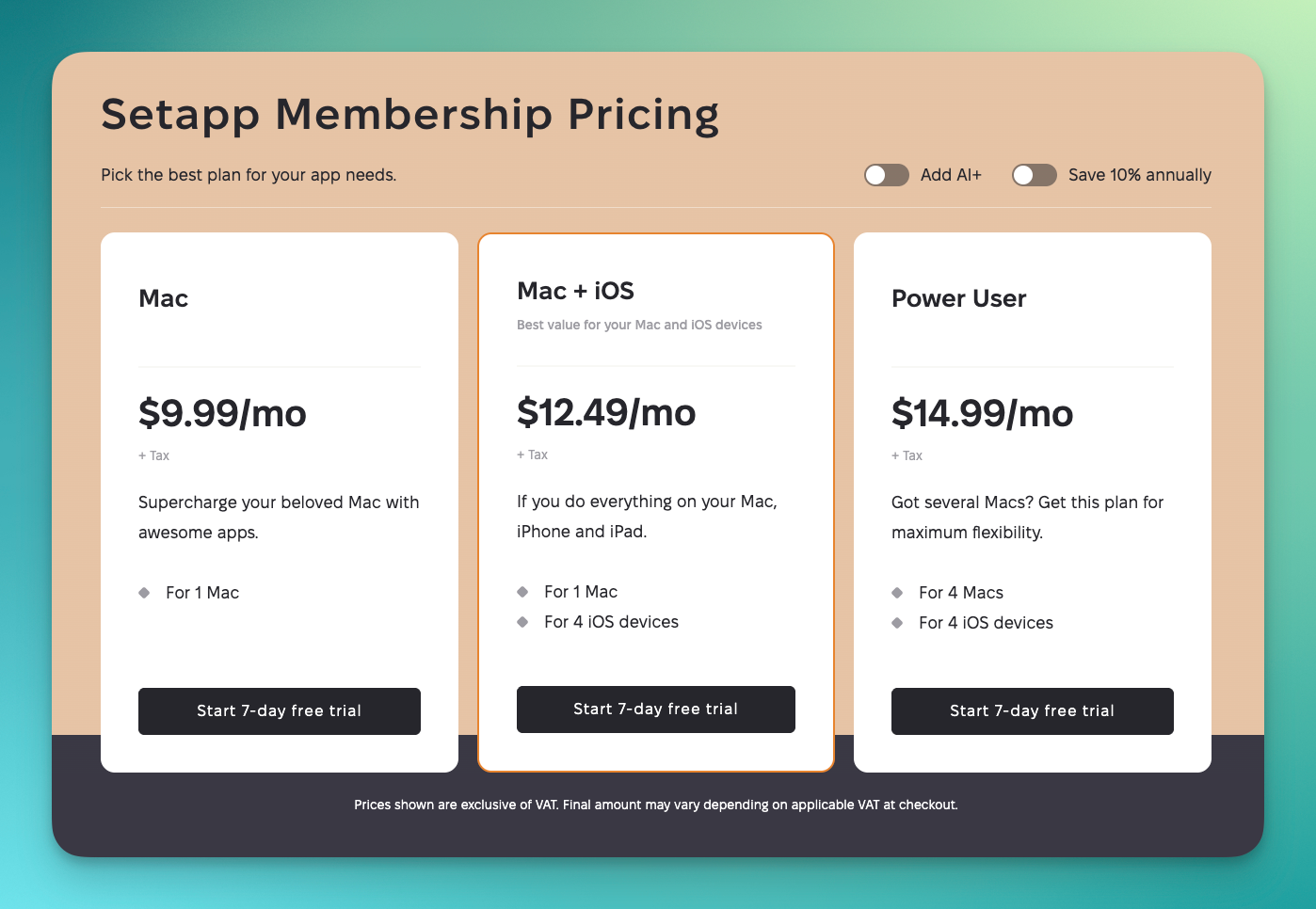
SetApp is MacPaw’s curated app subscription marketplace for Mac and iOS. The current pitch is simple: pay one membership fee and get access to hundreds of Mac/iPhone apps, with a 7-day trial and plans starting around $9.99/month for one Mac. Setapp now also offers single-app purchase or subscription options for selected apps, which makes it more flexible than the original all-or-nothing subscription model.
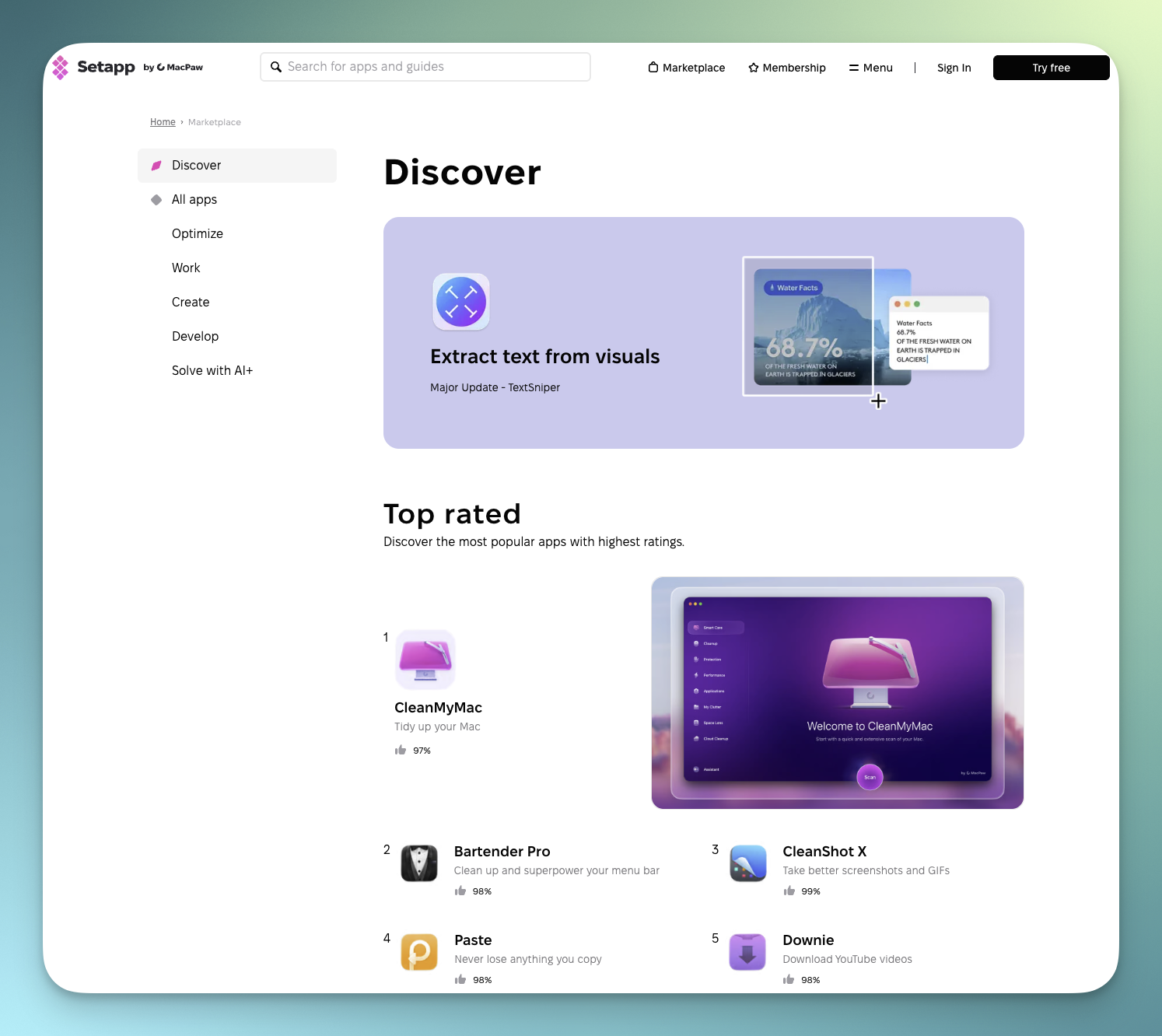
SetApp’s biggest strength is curation. Instead of hunting through the Mac App Store, developer websites, Gumroad pages, and random download links, you get a polished catalog of vetted apps. The experience feels closer to “Netflix for Mac apps” than a traditional software store.
What I personally feel SetApp is really good for is if you're looking for any combination of the following.
Mac utilities and maintenance: CleanMyMac, Bartender-style menu-bar tools, uninstallers, archive tools, duplicate finders, clipboard managers, window managers, Wi-Fi tools, disk tools.
Productivity: Task managers, calendar tools, note-taking apps, focus timers, PDF tools, OCR, screen recording, email helpers, file automation.
Creative and writing work: Markdown editors, screenshot/annotation tools, image compression, design helpers, mind-mapping, grammar or writing utilities.
Occasional-use apps: This is where SetApp shines. Apps you might need twice a month; PDF conversion, batch renaming, file recovery, screenshot cleanup, video compression; are hard to justify buying individually but easy to use inside a subscription.
Some Of The Apps I Use Currently From SetApp
- CleanMyMac
- CleanShot X
- Craft
- Paste
- Keysmith
- 24-Hour Wallpaper
- Supercharge
- Lasso
- PopClip
- iStat Menus
- Default Folder X
- Forklift
Pricing And Value
The value depends entirely on how many included apps you genuinely use. If you use three to five paid apps regularly, SetApp can pay for itself quickly. For example, CleanMyMac alone is often a major reason people keep SetApp, because it is also sold separately as a paid subscription or license. CleanMyMac alone is somewhere around $50 per year or something crazy like that.
But if you only use one app, the math may not work. That is why SetApp’s newer single-app options matter: MacPaw has begun letting users buy or subscribe to selected apps individually rather than paying for the full catalog.
User Experience
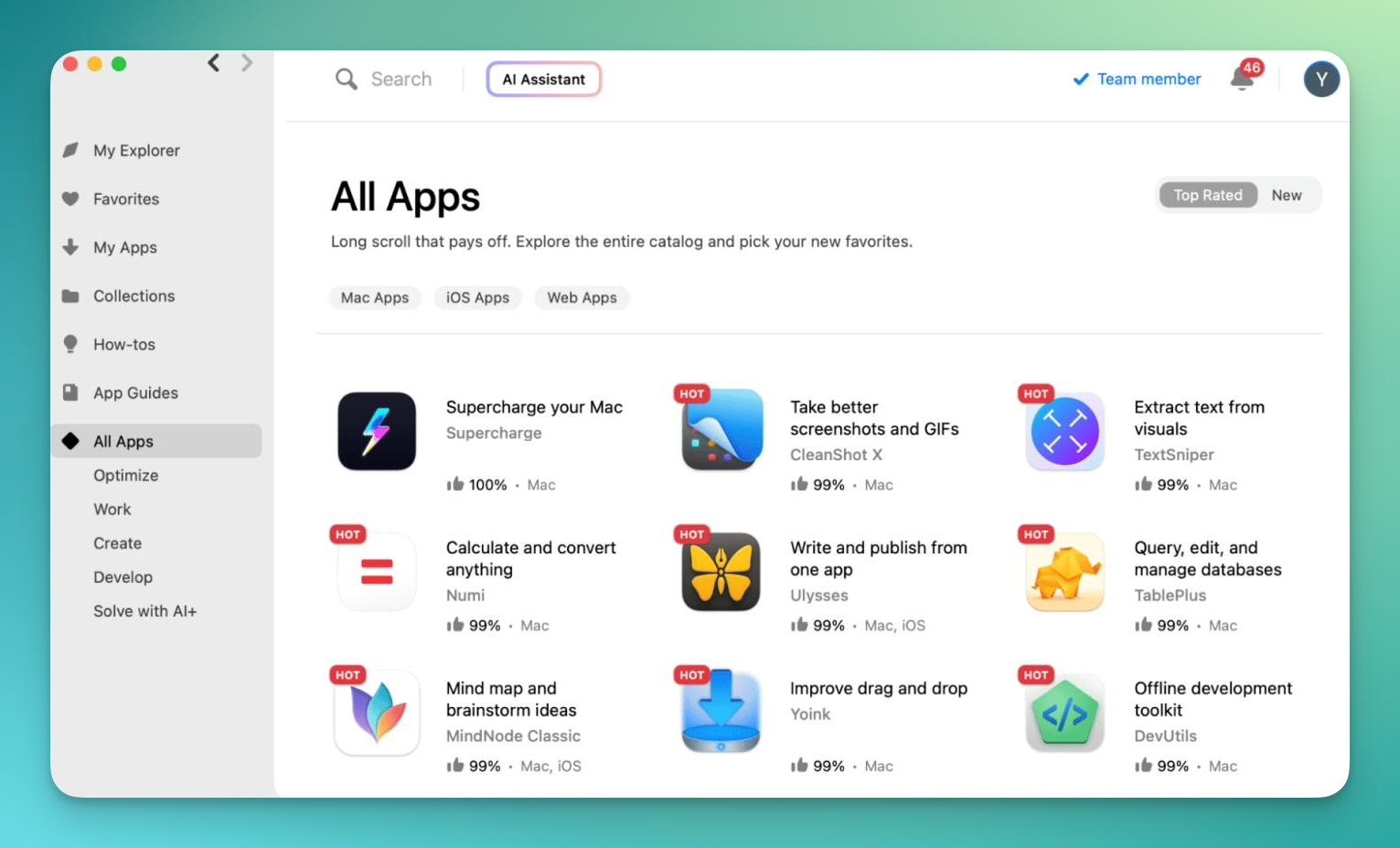
The SetApp desktop app is excellent. Search is fast, installation is simple, and app discovery is better than the Mac App Store for many utility categories. You can browse by task rather than by app name, which is useful when you know the problem; “clean up storage,” “edit PDFs,” “record screen”; but not the best app for it.
Updates are handled cleanly, licensing is painless, and you do not have to manage separate license keys. That alone is a major quality-of-life benefit for people who use many indie Mac apps.
Downsides
The main downside is subscription dependency. Stop paying, and you lose access to the apps through SetApp. For tools that become central to your workflow, that can feel risky.
The catalog is also curated, not comprehensive. You will not find every premium Mac app, and some categories are stronger than others. Pro creative tools, developer IDEs, high-end audio/video apps, and niche enterprise software are mostly outside SetApp’s sweet spot.
What It's Best For
SetApp is best for Mac users who like trying better tools, freelancers, students, writers, consultants, creators, and power users who regularly need utilities but do not want to buy each app separately.
It is not ideal for minimalists, people who prefer owning lifetime licenses, or users who already have a fixed set of purchased apps they are happy with.