Trayage Review for MacOS: The Downloads Cleaner That Explains Itself
Trayage does not clean your Downloads folder. It tells you which files deserve a second look and why, then waits for you to decide. Here is where it earns the $9.99 USD and where it stops.
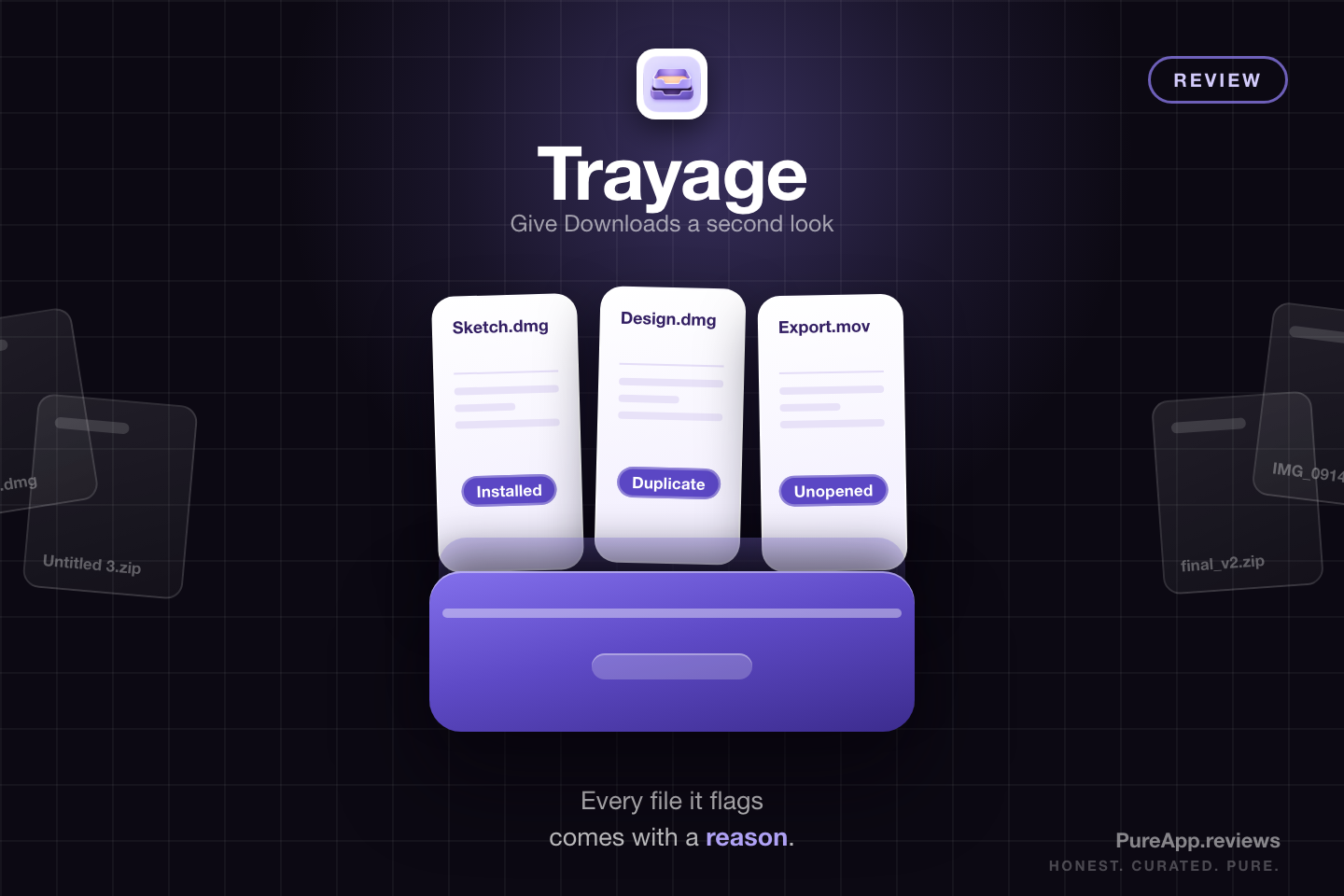
 Trayage
Full disclosure before we get into it: Kyle Reddoch gave me a review key for Trayage, so I did not pay for it. It did not change my verdict, and I would buy it at the $9.99 USD asking price. Everything below comes from using the app on my own Mac. You can find Kyle on Mastodon at @cyberseckyle@infosec.exchange. The method behind every score is on the how I review page.
Every Downloads folder tells the same story. A disk image for an app you installed months ago, a ZIP you opened once, three copies of the same design pack with different numbers on the end, and a video export you have not touched since spring. MacOS will sort all of it by date, size, or kind. What it will not do is tell you which files are worth a second look, and that decision is the part that actually takes the time.
Trayage is built around that one problem and nothing else. You point it at a folder, it groups the files that deserve attention, and it puts a plain-language reason next to every suggestion. Then it stops and waits for you. The narrowness is the point, and it is also the thing to weigh before you pay for it.
What Is Trayage?
Trayage is a native Mac app from Kyle Reddoch, published under his RelayByte brand out of Texas. It is the first Mac app he shipped, written in Swift and SwiftUI, and it runs on MacOS 14 or later. The app lives in the menu bar with a full review window when you want one, plus an optional Dock icon if you would rather keep it in reach.
It reached version 1.1 in the second release, roughly five weeks after version 1.0, and that shows. The review flows are quick, the language is plain, and the app is careful about what it touches. It also knows what it is: a second look at one folder, not a disk cleaner.
How A Review Works
You choose Downloads, or any other folder. The overview opens with the total size, a breakdown by file type, and a count for each group Trayage thinks is worth your attention: new files, disk images, possible duplicates, and files that are old or large.
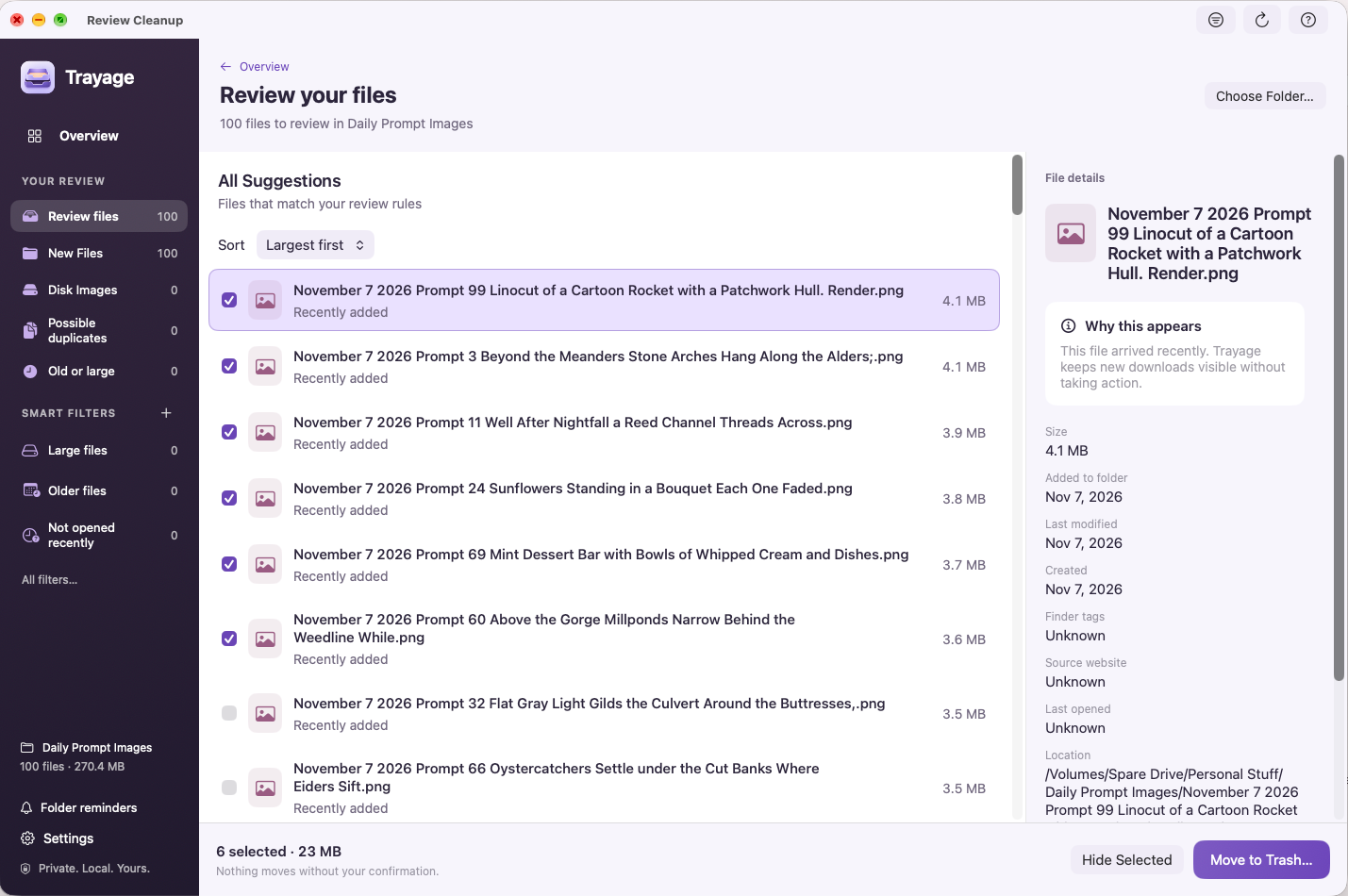
From there a review moves one suggestion at a time, or you can open the full window and work down the list. Each file arrives with its name, size, dates, and the reason it made the cut. You can reveal it in Finder, hide the suggestion without touching the file, or select it for cleanup.
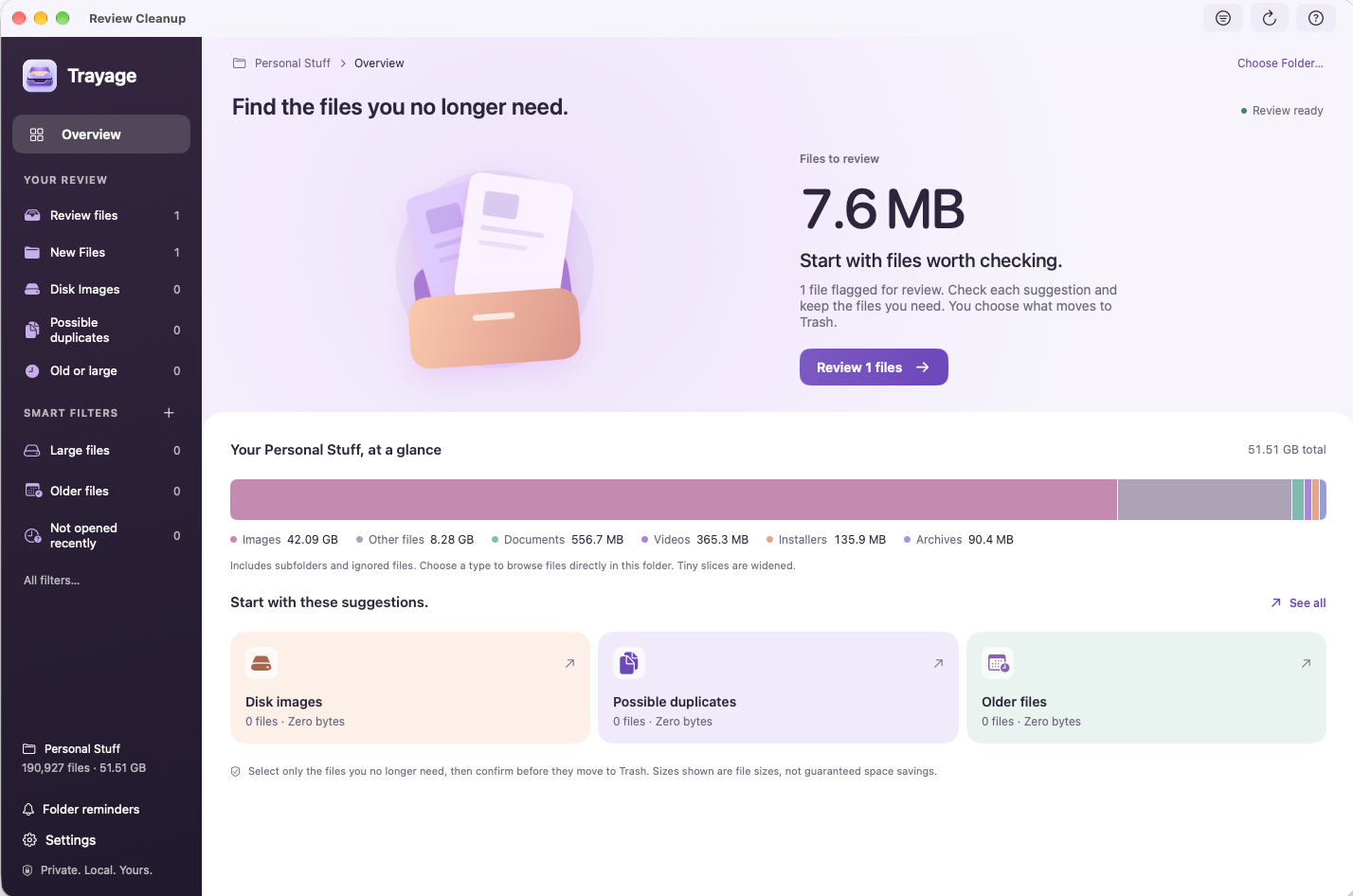
The last step is the one that matters. Selecting files does not delete anything. Moving to Trash asks you to confirm the selection, then checks whether anything changed since the review started and leaves those files where they are. Trayage never empties the Trash, so a mistake is still a recoverable one in Finder.
What It Actually Checks
The check that earns its place is the installer one. When it flags a disk image, Trayage looks in Applications for a similarly named app. If the app is already sitting there, the reason line says so. That is the question a Downloads folder raises most often, and it is the one most cleanup tools skip in favor of a raw size listing.
Possible duplicates are matched on filename and size first, then version 1.1 can compare the contents locally. It calls them likely duplicates for a reason: matching bytes tell you the files are the same, not that you need only one of them where they are. Nothing is selected on your behalf, and the decision stays with you.
The rest comes down to thresholds you set yourself. Age and size decide what counts as old or large, so the list reflects your habits rather than a canned definition. New files get their own group, which is how you catch the thing you downloaded an hour ago and forgot about.
The Parts That Keep It Safe
Hiding a suggestion is the quiet feature that makes a review repeatable. If a file is on the list and you want to keep it, hide the suggestion and the file stays in place, out of future reviews until it changes or you restore it in Settings. Without that, a suggestion you already dismissed comes back every time and you stop trusting the list.
The confirmation step and the unchanged Trash are the other half of it. A cleanup tool that deletes first and explains later is a different product with a different risk profile. Trayage asks, moves, and leaves the Undo where MacOS usually puts it, which is the Trash itself.
 How I Use It
Where It Actually Helped
Older files and large files are the two groups I keep coming back to. My OCD does not like a pile of old files sitting on my main drive, and the discomfort is not really about the megabytes. It is about knowing there is stuff sitting there that I stopped using and never dealt with.
Trayage gives me the list and gets out of the way. I work through the older files and the large files, decide what still matters, and move the rest off the drive. The useful part is not the removal. It is being able to find the clutter in the first place and take care of it in one sitting instead of pretending it is not there.
That sounds like a small thing on paper and it is a real one in practice. Knowing the drive is in better shape eases my mind, and I would rather have a tool that does that one job well than a cleaner that wants to run everything on my Mac. Trayage is careful to say the sizes it shows are file sizes rather than promised savings, which is the right way to frame it. What you get is clutter found and dealt with, not a number to brag about.
Smart Filters
Trayage ships with 14 filter presets covering the usual cases: large files, older files, installers, and files you have not opened in a while. You can also build your own rule with All or Any conditions across file type, extension, name, size, dates, Finder tags, and the website a file was recorded as coming from. Matches preview before you commit, favorites can be pinned, and the order is yours to change.
Filters browse the eligible files inside the folder you chose, and missing metadata stays unknown instead of being guessed. It is a smaller feature than the review itself, and it is the one that makes the app feel like it was built by someone who sorts files for a living.
Menu Bar Or Window
Two menu bar modes cover the daily use. Glance shows folder totals with shortcuts into each group. Quick review shows category cards and then one suggestion at a time, which is the right shape for a two-minute pass. The full window is for an actual cleanup. Appearance follows your Mac or can be pinned to light or dark, text scales up to 200%, and there is an optional folder-size reminder that only works while the app is running.
Privacy
File review happens on your Mac. Trayage reads top-level file names, sizes, types, and available dates in the folder you chose, and for disk images it checks Applications for a match. It does not upload file names, contents, or scan results, and no account is required to use it.
The direct edition does talk to Keylight to activate a license, track a trial, and report device counts. That report includes a stable installation identifier, a one-way device hash, your app and operating system versions, and your Mac's computer name during activation. The privacy policy states plainly there is no in-app switch to disable all of it. That is more honesty than most indie utilities manage, and it is still the one part of the app that phones home. Updates use Sparkle, purchases use Stripe, and the App Store edition uses RevenueCat under an anonymous identifier.
What It Costs
$9.99 USD, once. The direct license covers up to three active Macs, includes every version 1.x update, and makes future major upgrades optional with owner pricing. There is no subscription, and nothing to cancel.
Reviewing files is free. Cleanup, meaning the actual move to the Trash, is the part you pay for, and the seven-day trial covers it with no automatic charge when it ends. That split is worth understanding before you install: the free tier is a complete review with no way to act on it.
The Mac App Store edition is a separate purchase. Free download, free file review, and a $9.99 USD one-time unlock for cleanup at US pricing, billed by Apple. A direct license does not unlock the App Store edition, and an App Store purchase does not produce a direct key, so pick a channel and stay with it.
One note if you looked at Trayage earlier: version 1.1 dropped the direct price to $9.99 USD from $29.99 USD. Trayage is not on Setapp, so those two stores are the only ways to buy it.
MacOS Support And Install
Trayage needs MacOS 14 or later, on Apple silicon or Intel. The direct download is a 7.92 MB disk image, signed and notarized, with a published SHA-256 checksum on the download page. The App Store build is 7.1 MB. File review works offline. Licensing, trial checks, and update checks are the only parts that need a network.
How It Compares
Finder is free, and once you know what to delete it will do the deleting without complaint. What it cannot do is explain itself: no reason lines, no installer check, no thresholds, and no content comparison between downloads. If your Downloads folder is a dozen files you recognize, this app solves a problem you do not have. If it is 400 files and you have been avoiding it for a year, the reason line is the entire product. If the mess is names rather than duplicates, NameQuick handles that side of the same folder.
Who Should Use It
Best for: anyone whose Downloads folder has become a landfill of installers, duplicate disk images, and files that were useful once, and who would clean it up if something pointed at where to start.
Also good for: people who want their file names and contents to stay on their own Mac, anyone with three Macs to cover, and anyone who has had enough of subscription cleaners.
Not ideal for: people whose Downloads folder is already tidy, anyone who needs a deep system cleaner that touches caches, app leftovers, or nested folders, and anyone still running MacOS 13 or earlier.
- ✓Every suggestion carries a plain-language reason, so you are never working through a folder guessing why a file made the list.
- ✓Nothing is selected for you. You pick the files, confirm, and Trayage moves them to the Trash without emptying it.
- ✓Checks Applications for a matching app before it calls a disk image redundant, which is the specific check most cleaners skip.
- ✓File analysis runs locally. No account, and file names and contents are not uploaded.
- ✓One payment of $9.99 USD covers three Macs, and version 1.x updates are included.
- ✓Fourteen smart filter presets plus your own All/Any rules, with age and size thresholds you set yourself.
- ✗Reviews one folder at a time and only the files at its top level, so a Downloads folder with subfolders still needs manual digging.
- ✗Reviewing is free, but moving anything to the Trash needs the $9.99 USD purchase or the seven-day trial.
- ✗Duplicate detection is a suggestion, not proof. Matching contents do not tell you which copy you actually need.
- ✗The direct edition reports license and trial state, including your Mac's computer name, to Keylight, and there is no switch to turn all of that off.
- ✗Seven weeks old, with accessibility validation still marked in progress on its own roadmap.
Final Verdict
Trayage takes a problem everyone has and refuses to make it bigger than it is. One folder, a clear list, a reason for every line, and a confirmation before anything moves. That is the whole app, and it is enough. It sits with every other app I have reviewed, in one table.
The limits are real, and they are about scope rather than carelessness. Subfolders are left alone. Cleanup sits behind the purchase. Duplicates are a suggestion you still have to judge. And a Mac app that shipped in September has not yet been tested by a year of other people's folders.
The key came from Kyle and it did not change a word of this. At $9.99 USD for three Macs, the older and large file pass alone is worth the money, and everything else the app does is on top of that.
One honest afternoon in Downloads will save more time than the price costs, and the Trash-first design means the worst case is that you put something back. If you need a system cleaner, this is not one. If you need somewhere to start, it is the most considerate answer I have looked at. You can see it at trayage.app.